
Kinetic › Features
Everything it does
Built for the four
minutes between sets
Every feature below exists to answer one question fast enough to answer it mid-set: what did I do last time, and can I beat it? Anything that didn't help answer that isn't in the app.
Before the workout
Your session is already built
SIX QUESTIONS, ONCE
Answer six questions at setup — your goal, experience, days per week, equipment, split, and units — and Kinetic generates every session after that: which exercises, how many sets, what rep range, and how long to rest. It divides 10–20 weekly sets per muscle across the days you train, at roughly 2× per week per-muscle frequency, in an 8–12 rep range. Those aren't house style; they're the targets the hypertrophy literature converges on, and the science page shows the studies.
The practical effect is that you don't stand in the doorway deciding what to train. The decision was made before you arrived.
288 exercises, already in there
The built-in library covers the lifts a commercial gym actually has, tagged by muscle and equipment, so the generator can substitute when the machine you need is taken. Pro accounts can add lifts of their own.
During the workout
Last time, beside every set
THE ONE THAT MATTERS
A Previous column sits beside every set with last session's weight × reps, and empty fields default to those numbers. Matching last week costs one tap. Beating it costs one tap and a decision.
This is the whole mechanism. Progressive overload is defined relative to what you did last time, so it can only be applied by someone who knows what that was — and nobody accurately remembers forty numbers a week. Putting the previous number beside the field where you type the new one is the difference between a log and a tool. It's also why notes apps and spreadsheets fail: the record exists, but it isn't present at the moment of the set.
Two taps to log a set
Fields sized for a thumb with chalk on it. Steppers that move in real plate increments — 5 lb or 2.5 kg — instead of a numeric keyboard. A checkmark that closes the set out.
The rest timer starts itself
2–3 MIN COMPOUNDS · 60–90S ISOLATION
Check a set off and the timer starts at the interval prescribed for that exercise. Longer rests measurably outperform short ones on the big lifts, and the reason people cut them short is that nobody wants to run a stopwatch between sets. So the app runs it.
Film the set, not the workout
A Film Set button sits beside Add Set. The clip records as HEVC, caps at 60 seconds, and attaches to the exact set you were lifting — so the 8th rep where your back rounded is filed against 225 × 8 on that date, not somewhere in a camera roll. Free accounts get 3 clips; Pro films every set.
It works with no signal
OFFLINE-FIRST
Sets are written to the iPhone first and synced afterwards. A workout logged in a basement gym is already safe and uploads on its own when the connection returns. Nothing about logging a set waits on the network — which matters, because the gyms with the best equipment tend to be the ones in basements.
After the workout
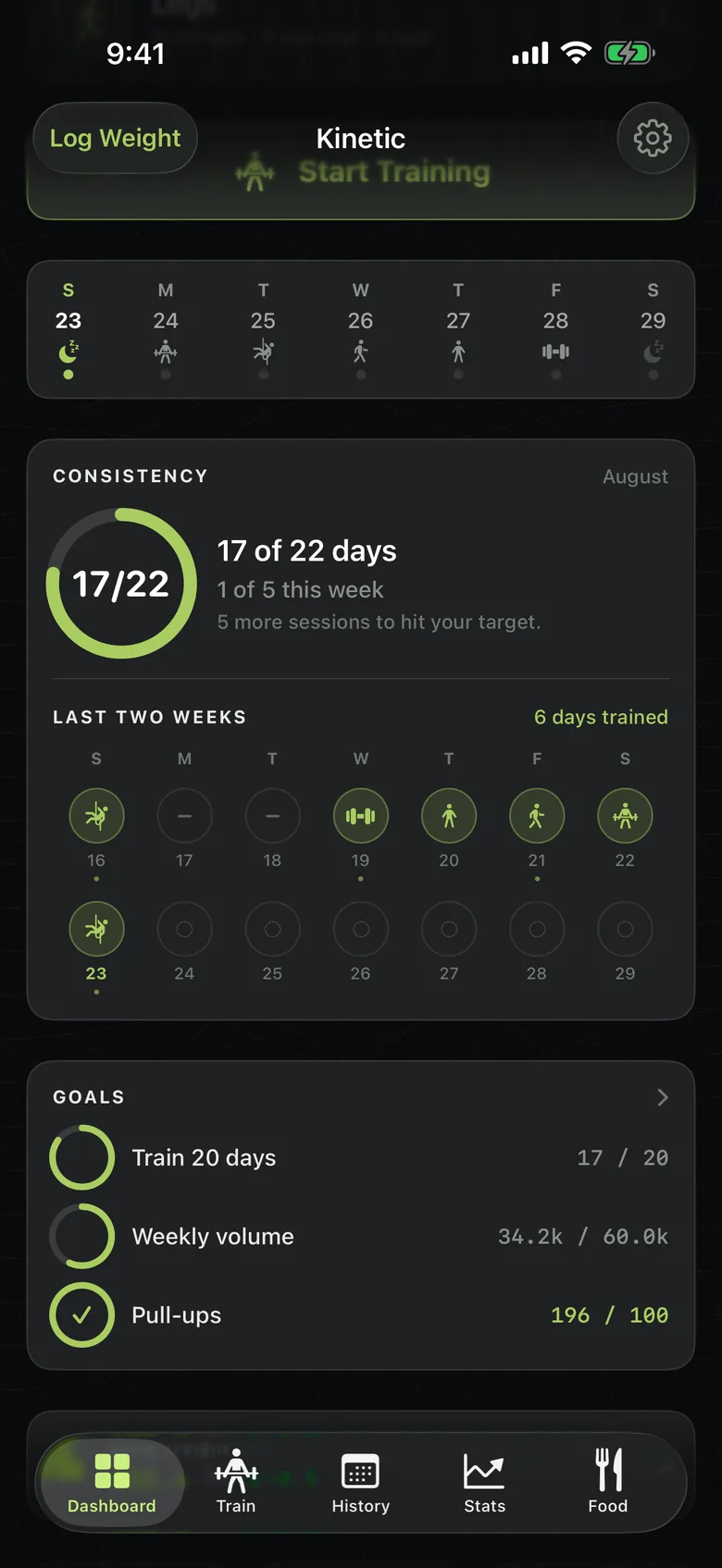
Consistency
Days trained against days available, month by month. The single number most predictive of whether any of this works.
Weekly volume
Hard sets per muscle per week, plotted over eight weeks — the unit the research actually measures, rather than per-workout totals.
Muscle breakdown
Where the sets went. The fastest way to find the muscle you've quietly stopped training.
Personal records
Best weight, best reps, best estimated max, per lift, with the date it happened.
Weight history
Body weight logged and charted alongside the training, because a strength number means something different at two body weights.
Food and macros
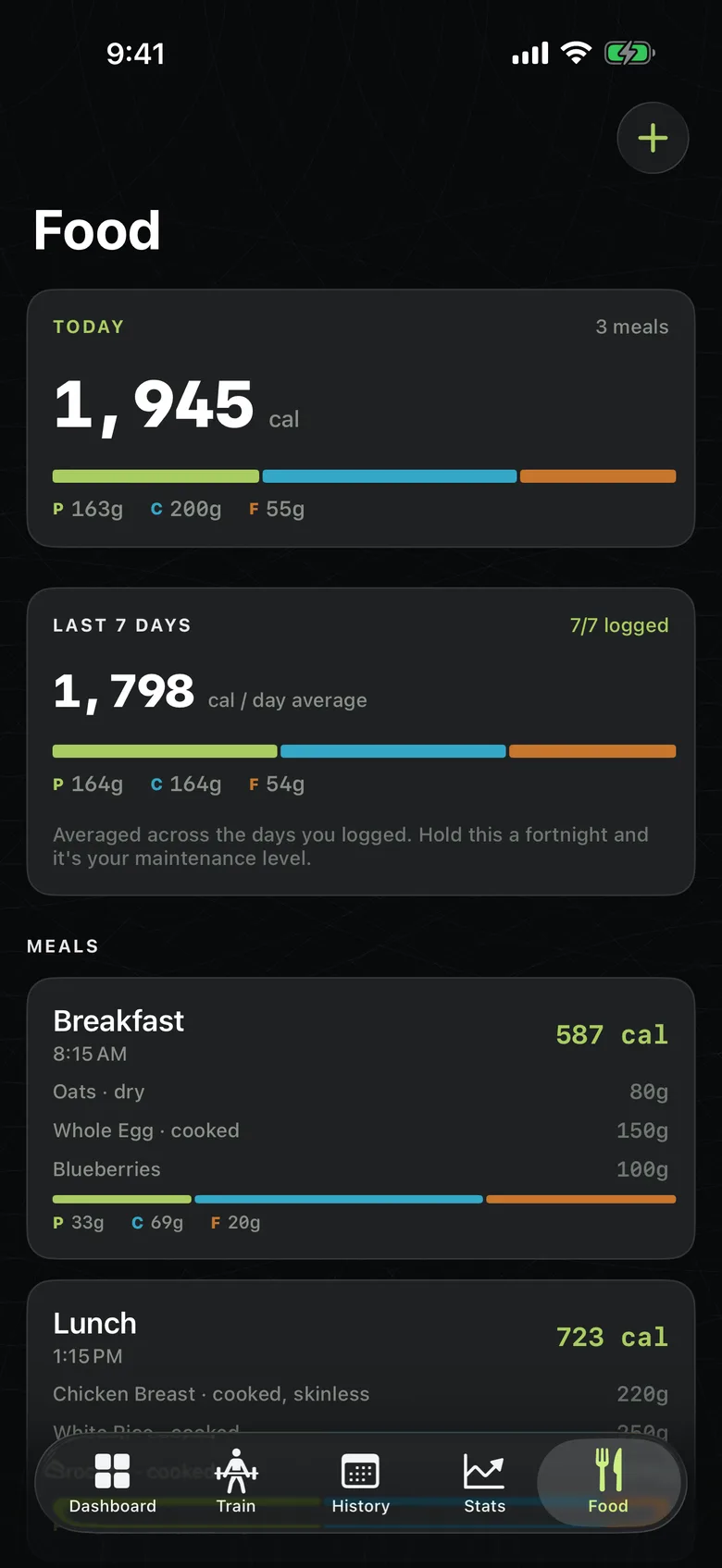
A Food tab for meals, calories and macros, with a nutrition-label scanner. It records what you ate. It does not prescribe what you should.
Coaching
A client links a coach by entering their coach code. From then on the coach sees that client's sessions, sets and filmed clips, and can leave a form check on any clip — the note lands against the exact set it's about.
The link is consensual and either side can end it at any time, which cuts access immediately. A coach cannot add themselves to anyone, and there is no way to see a client you were never linked to.
What Kinetic deliberately doesn't do
A feature list is only honest if it says where it stops:
- No meal plans or calorie targets. The Food tab records; it doesn't prescribe.
- No AI rep counting. You tap the set off. It takes a second and it's right every time.
- No Android, no web app, no Apple Watch app. iPhone only, today.
- No social feed. Your training is not content.
- No ads, no third-party analytics SDKs, no data sold or shared. The app records first-party usage events about its own performance — counts and outcomes, never what you lifted or typed — and you can switch them off. See the privacy policy.
Free and Pro
Kinetic never stops you recording a workout, and nothing you've logged is ever deleted.
| Free | Kinetic Pro | |
|---|---|---|
| Logging workouts | Unlimited | Unlimited |
| 288-exercise library | Full | Full |
| Generated sessions & rest timer | Yes | Yes |
| Offline logging & sync | Yes | Yes |
| Food, macros, label scanner | Yes | Yes |
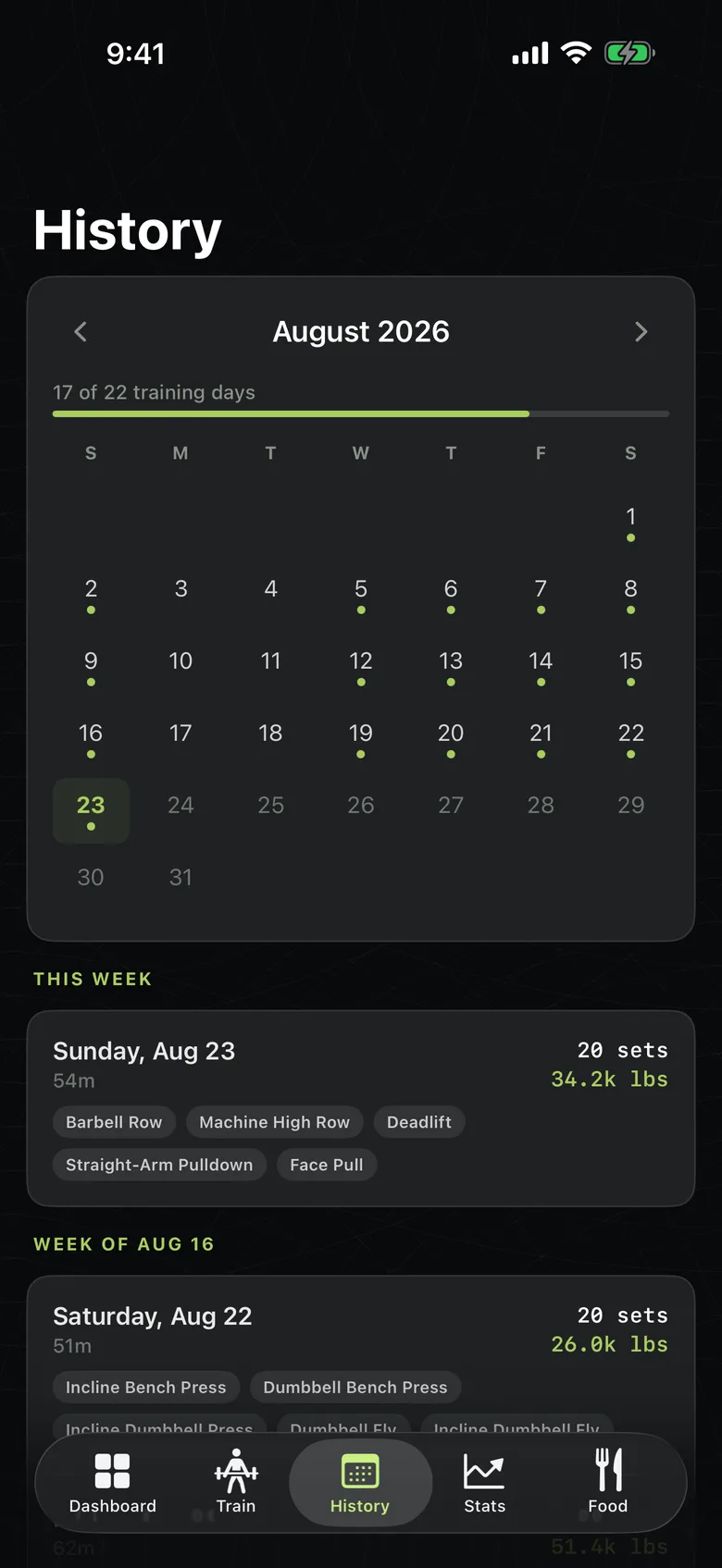
| History you can browse | Rolling 30 days | Everything |
| Active goals | 1 | Unlimited |
| Set filming | 3 clips | Every set |
| Deep stats — PRs, muscle split, 8-week volume trend | — | Yes |
| Custom exercises | — | Yes |
Pro opens with a 7-day trial and bills through your Apple Account. Older sessions past the free 30-day window are never deleted — they're on your account and reappear the moment Pro is active. More answers in the FAQ.
Your next workout, on the record
Free to download, free to log forever. Your workout is ready when you walk in.
Download Kinetic